Download My File free on android
APK file My File 6.7.6How to install APK / APKS / OBB file on Android
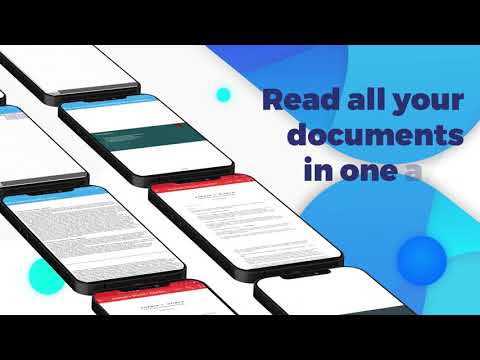

My Files is a powerful, fast, lightweight, all-in-one, perfectly compatible, and ultimate solution for android devices. It’s a safe, secure, free, and simple tool. 📂 File Explorer is extremely easy to use, providing file browsing, backup, app lock, encryption/decryption, data 🔗 security, highlighting PDFs, and full-screen document view. Use tons of cool features, including video vault, encrypted file recovery, unlock PDF, read all files, file manager, open 🔑 password-protected files, make zip archives, and much more.
Use for back up files, show hidden files, data protection, cool animation, file transfer, and robusts secure 📡sharing. 📥 Compression, storage 🗑️ cleaner, video manager, 📸 photo gallery, video browser, free up storage space, decompress files, annotate PDF, and 🔒 secure your files.
🔍Find Files
Quick file search, 🌍 global search, find documents, bookmark, screenshot, recent, downloads, view saved posts from social media, and organize into categories for faster access and better user experience.
File 🗂️Explorer offline
Perform cut, copy, paste, delete, ✏️ rename, move, 📜advance, search, edit, bookmark, create file/folder, directory ⚡ multi-selection, browse, file sorting, handle 🕶️ hidden files, and storage analyzing.
Document Reader: PDF Viewer
All-in-One Documents Viewer, Reader & Opener: Read Excel, PowerPoint, Word, spreadsheets, text, rich text format (RTF), and portable files (PDF).
Word Reader: .doc, .docx, .docm, and .dotx
Excel Viewer: .xls, .xlsx, .xlsb, .xltx, .xlsm, and .xltm
PowerPoint Opener: .ppt, .pptx, .pptm, .potx, .ppsx, and .ppsm
Also open .pdf, .rtf, .txt, .html, .xml, .odt, .csv, .ods, .odp, .zip, .rar, .tar, .gzip, .psd, and 7z.
Read documents, 📜reports, presentations, assignments, invoices, and all archives.
🛡️ App lock
Make password-protected internal storage, video lock, 📸 photos vault, music safe, and data protection, and unlock your storages by fingerprint or pin.
📦 RAR Extractor
📥 Compress & decompress files, unzip ZIP file, unrar RAR files, and 📦 extract all encrypted files. RAR extractor for Android secure docs with AES encryption, and 📲wifi sharing without worry.
🔒Secure your files📄
User friendly security, instant lock on exit, unbreakable file vault, and restrict unauthorized access to your storage. Keep your sensitive data safe, secure videos with the media vault, privacy guarding, biometric & privacy protections tool.
📊 Storage Analysis
Show storage overview, media analysis, size analysis, low storage analysis, smart sorting, search filters, view unused and rarely used files, print files, email files, and clean up storage space by deleting large files.
💾 Storage Organizer
All in one documents reader, manage, explore, browse, photos shield, app lockers, and PDF Opener tool. Media 🌀 auto organizer, 🎥 video vault, read email, storage protector, favorite file, disk maps, all documents viewer, and storage optimizer for android. Support internal storage, USB and SD-card.
🌟 Find Files Key features:
✔️ FTP Server– Access your Mobile from PC using FTP
✔️ Wi-Fi Share – Transfer files quickly over a local network
✔️ Casting Support – Stream media to compatible devices
✔️ App lock: private video safe, 🖼️photo locker, storage vault, video privacy
✔️ Archives and unarchive: ZIP, RAR, TAR, GZIP, 7Z, RAR5, ISO, XAR, Z, ZIPX, Bzip2, ARJ, IZIP
✔️ Categories/sorting: photo, video, music, recent, starred, download, bookmark, document, apk, etc.
✔️Photo 🕵️hider: private photo lock, photo compression, video safety
✔️🔒Secure data sharing
✔️ Media 🔗 security
✔️ Zoom in/zoom out – day/night mode
✔️ Recognize all file formats.
✔️ Unlock PIN-protected PDF
✔️ PDF reader for Android
✔️ Easy-to-use file explorer
✔️ Show recently 💾 downloaded videos on top.
🔹Go Premium: Remove ads and enjoy uninterrupted experience.
This app uses the Manage External Storage Permission to provide seamless functionality.
Cloud Storage: Get your files and never run out of space.
Lock & Hide: Password protection, file manager lock, and private vaults for media.
Universal Sharing: Transfer files across Mobile, Tablet, and PC via FTP, Wi-Fi, or Casting.
PDF Unlocker: Decrypt password-protected PDFs instantly.
Better Viewing: Dark & Night mode support + show hidden files toggle.
Quick Navigation: New tabs for Recents, Bookmarks, Downloads, and Media.
- LicenseFree
- File nameMy File
- File Version6.7.6
- Package namecom.docreader.fileviewer.pdffiles.opener
- Size30.71 MB
- UploadedOctober 2, 2026
- Android6.0 or later

- CategoryProductivity
- DeveloperTrusted Files: File Manager - PDF Reader Tool
- Developer sitehttp://sahiwastudio.atwebpages.com
- Developer emailcannybrazen@gmail.com
- md5 hashf4e18df9d78990c9440c41511218c659
- Architecture-
- Permissionsshow (20)
